Eight weeks later with the DJI Mini 5 Pro, here’s my experience flying this drone — what it’s been like, the good and the bad. The Mini 5 Pro is packed with new features, but it’s also been surrounded by controversy.
In this article, we will look at the DJI Mini 5 Pro and whether it’s the best portable drone on the market today.
First impressions: size, build, and visibility
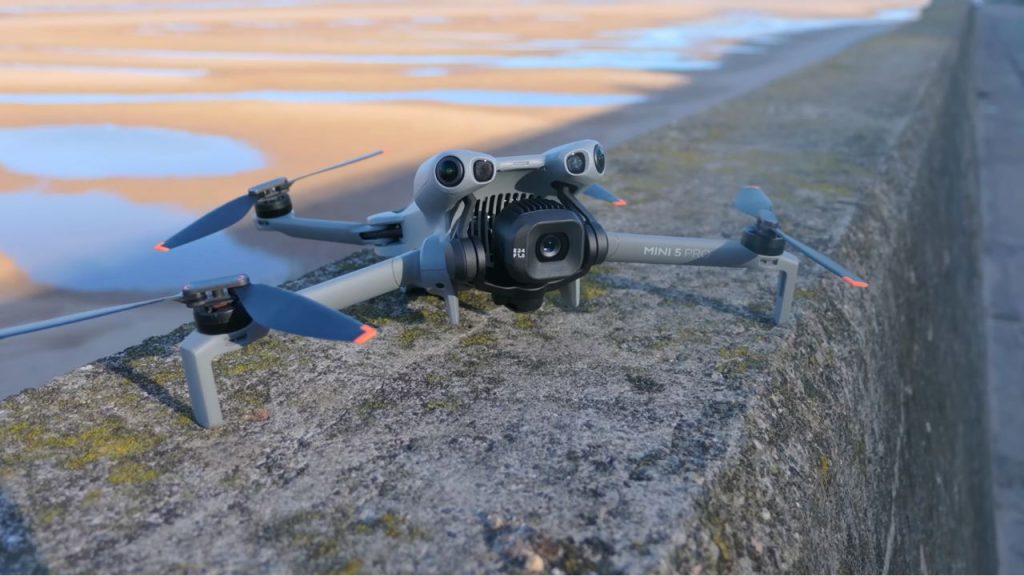
First impressions: if you’ve never had one of these mini drones before and you buy this, you might doubt yourself — have I actually done the right thing? You won’t immediately see the full advantages of what a small drone brings. You might look at this and think, ” Is this a toy? Is it going to get blown away as soon as I fly it? I’m going to try to put your mind at rest.
It’s definitely palm-sized. If you compare it to the 17 Pro Max, the length of the drone is practically the same size as a phone — but you’re getting a 4K, 1-inch-sensor flying camera. We can’t forget how far we’ve come with these drones.
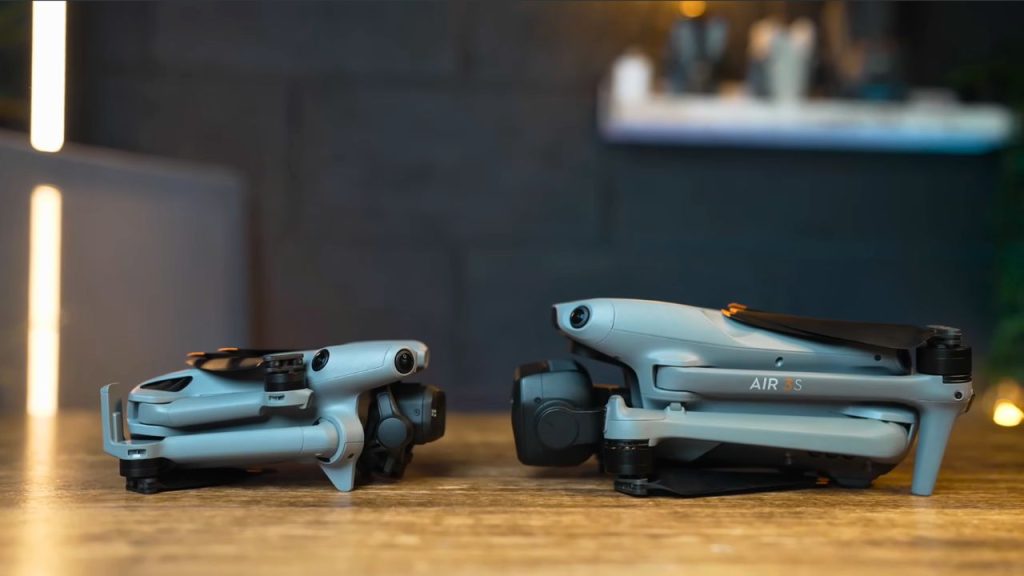
But compared to the Mavic or Air series, the build quality isn’t great. It feels very plasticky. It won’t be as strong in the wind as bigger drones, and it doesn’t feel as premium either. You can look at it and think it feels a bit cheap, but that’s down to weight, which I’ll get to.
I do like the new colour. It’s more of a stealthy colour, and it looks pretty cool. I also find that once the drone is in the air, it’s easier to see with this darker colour than the Mini 4 Pro, which was a lighter shade.
The good points
Let’s talk about the good points first. We don’t want to lower the mood by starting with the negatives. Let’s start on a high note, then we’ll talk about the bad points as well.
Camera upgrade: 1-inch sensor, 10-bit profiles, photo quality
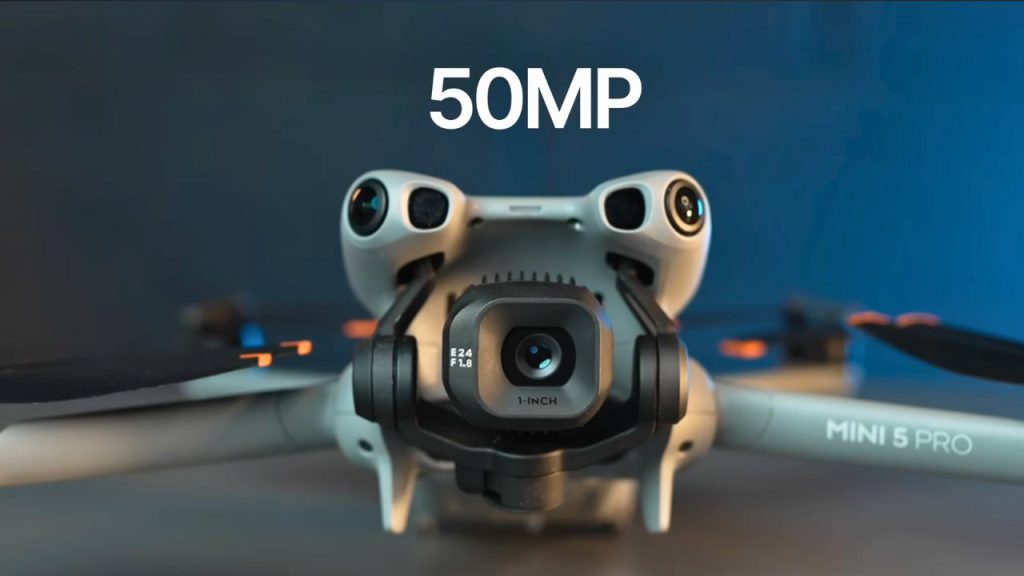
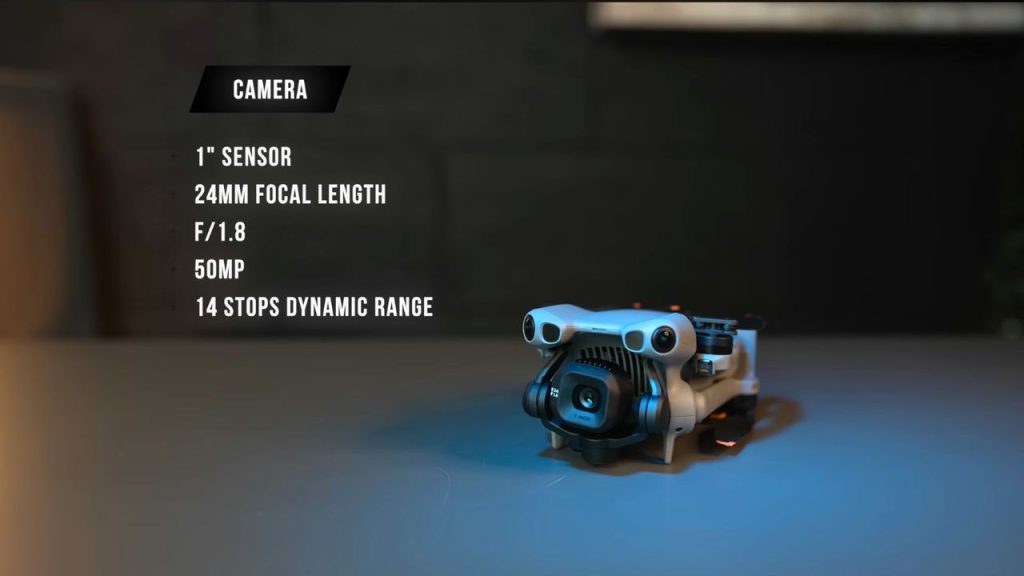
The biggest upgrade for me is the new camera. The 1-inch sensor is f/1.8. It’s the same main sensor you’ll see on the DJI Air 3S, or at least very similar. It might even be the same sensor as the DJI Pocket 3. This is the biggest upgrade you’ll see if you’re coming from the Mini 4 Pro.
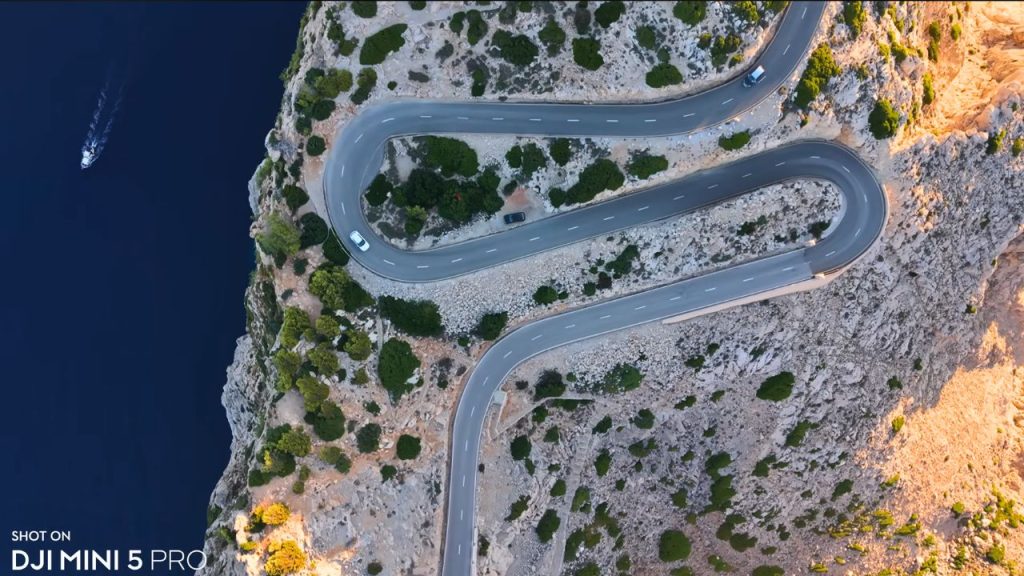
Is it a massive, dramatic increase? No, but it is definitely better. The photos and videos from this drone look really good. In my comparison test against the DJI Air 3S, I couldn’t see any difference in the main video sensor.
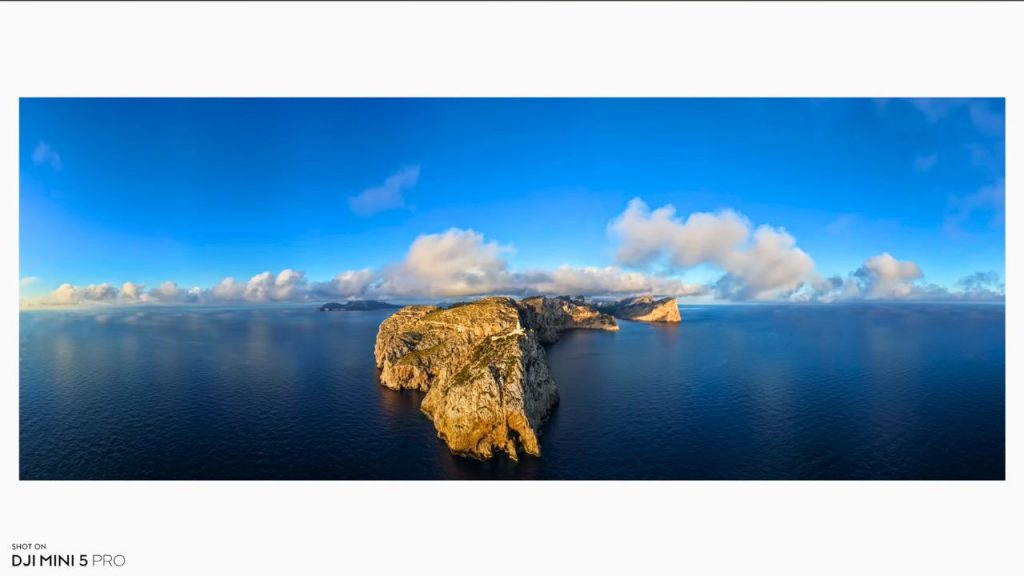
For colour profiles, you’ve got Normal, D-Log M, and HLG, and they all shoot in 10-bit now, capturing one billion colours. I like using the D-Log M colour profile the most. It protects highlights and shadows, gives you a flatter image, and lets you apply a LUT. I’ve been really impressed with the dynamic range from D-Log M.
Photos look brilliant too. You’ve got RAW and JPEG options. RAW captures more data and offers greater flexibility for colour grading. Looking at these shots, the highlights, shadows, and detail look great, and none of them have been edited — they’re straight out of the camera.
Vertical content: true 4K vertical video and quick vertical photos
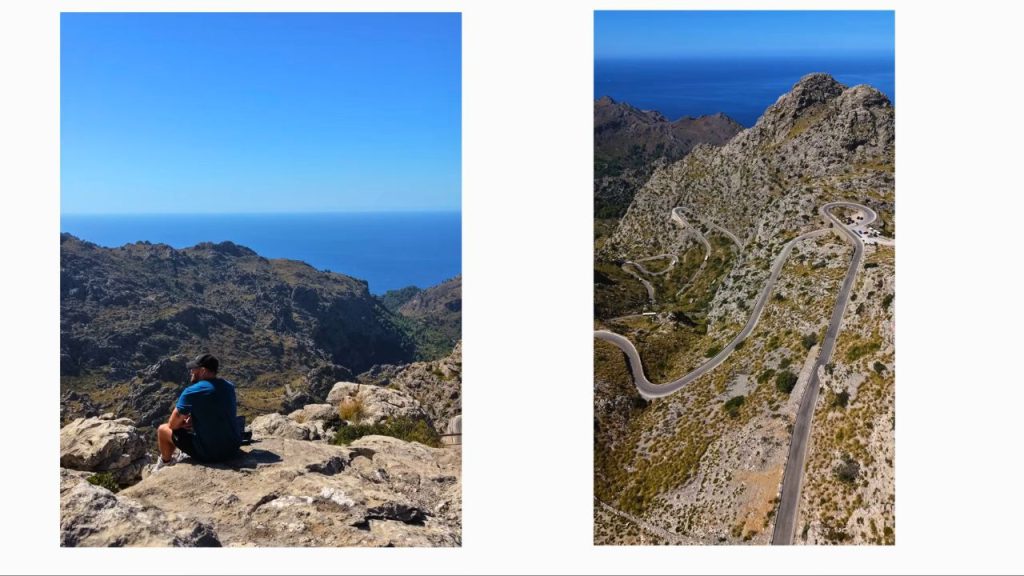
For photos, if you like taking images, it looks great. You can shoot in horizontal, then press one button to switch to vertical, and you’ve got vertical photos as well. If you post a lot to Instagram, especially Reels, one of these mini drones is more than enough. The 4K vertical video is true vertical, so there’s no crop, which is great.
2x “telezoom” (48mm): useful, but limited
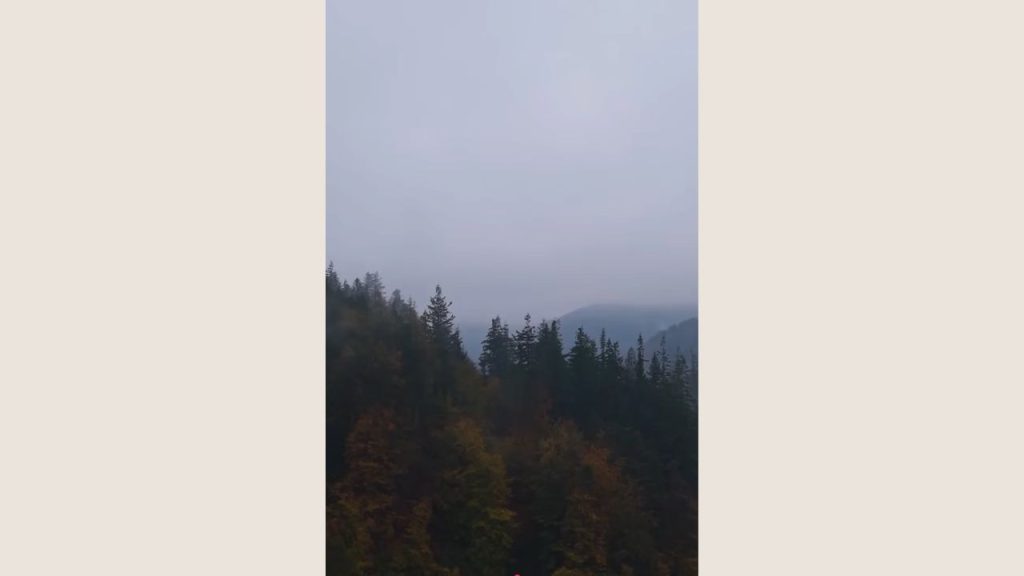
DJI also added a 2x mode — a 48mm “telezoom.” This isn’t a dedicated lens; there’s still just one lens on the drone. It’s a digital crop that lets you frame closer at 48mm. At first, I used it quite a lot, but I don’t use it as much anymore because, unless the lighting is really good, you can see some noise in the corners at 2x zoom.
Recently, it was quite overcast in this area. I switched to the 2x zoom, and while it did let me get closer, the corner noise was noticeable. I still like it, and I understand the advantage, but don’t expect it to compare to the DJI Air 3S or the Mavic 4 Pro, because those have dedicated tele lenses. That said, for a drone this small, the overall camera system is excellent, and I don’t know how it could get much better.
Wind performance and speed
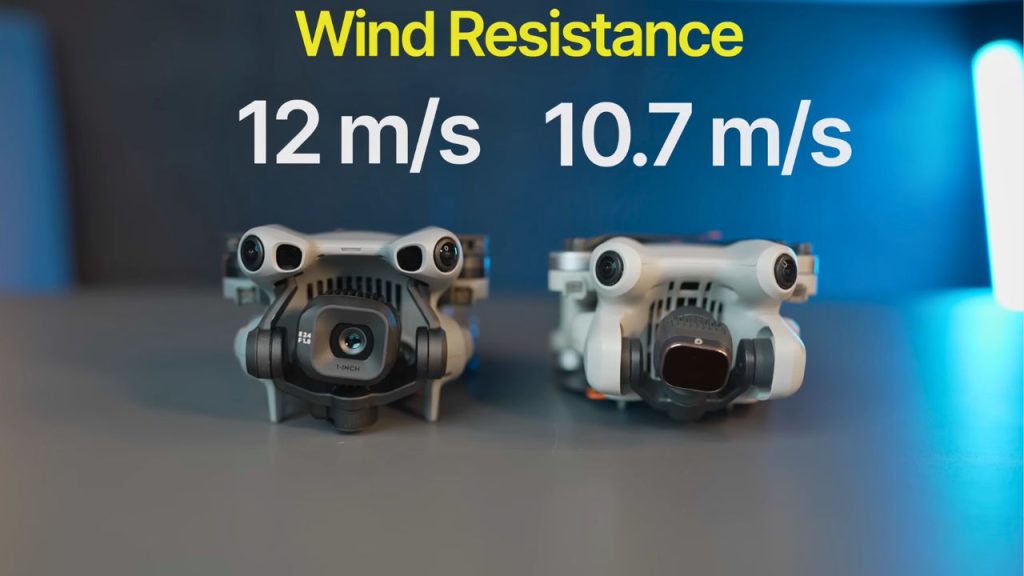
I really liked the Mini 4 Pro, but I was vocal about its battery life and overall performance. With the Mini 5 Pro, I’ve flown it in several locations and been really impressed with its wind performance. It’s definitely better than the Mini 4 Pro. Wind resistance is rated at 12 metres per second compared to 10.7 on the Mini 4 Pro.
Top speed is also about 5 mph faster than the Mini 4 Pro. That might not sound like much, but getting to a location quickly in Sport mode before you start shooting is genuinely useful. It also helps in the wind.
Convenience: the main reason you’ll fly it more
The ease of use is a huge advantage, too. Being able to grab one of these and take it with you without any hassle is fantastic. Even though the Mavic 4 Pro and Air 3S are better drones that deliver better performance and quality, I still mostly pick the Mini 5 Pro (or previously the Mini 4 Pro) for convenience. I can put it in a small bag, and it’s all I need.
The battery size difference is also massive. The Air 3S battery is substantially larger than the Mini battery. If you take three Air 3S batteries, the controller, and the drone, it becomes a heavy setup. The Mavic 4 Pro is even heavier. With those drones, you need a large bag, and it becomes a commitment. With this, I can use the smallest bag and even take it somewhere without intending to film. If an opportunity comes up, I’ve got the drone with me. That convenience factor is a major advantage.
Noise: quieter in the air, less attention
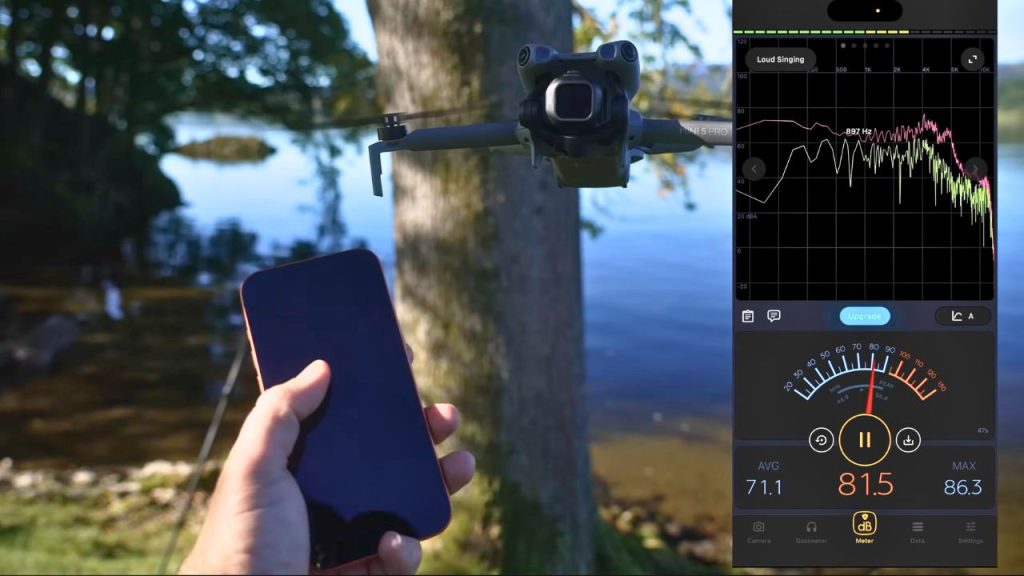
This drone is also quieter than the bigger drones, including the Mini 4 Pro. It draws less attention. Once it’s in the air, you can barely hear it. Even on takeoff and landing, it’s quiet — more of a hum than a high-pitched sound. If you don’t want attention, this helps.
Rotating gimbal: useful for video, less for photos
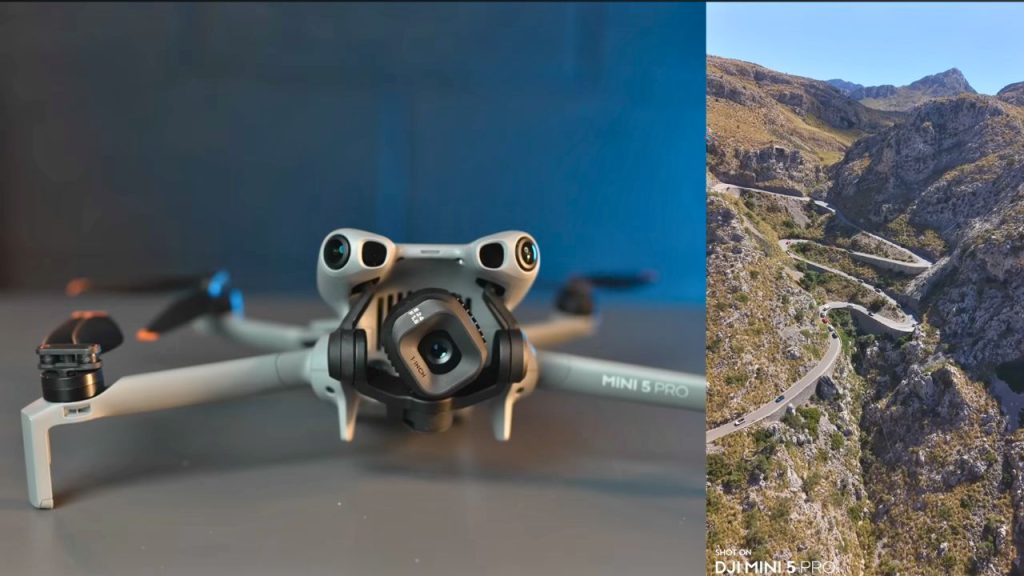
We also now have the rotating gimbal, giving you up to 125 degrees of rotation for video and photos. When we first saw this on the Mavic 4 Pro, it was a big hype feature. It’s great at first, and you’ll use it a lot, but don’t overdo it. You’ll probably use it frequently at the start, then the novelty fades. It does give you creative options, and I like having it. Personally, I now use it maybe 5–10% of the time.
For photos, I don’t really see the need to rotate gimbal shots in either orientation. It can look interesting, but it also looks like your horizon isn’t straight. For the video, though, it’s pretty cool.
Battery life: real-world results, Fly More combo, and charging
Now, battery life. DJI states 36 minutes with these batteries. This is not the Plus battery. I can’t get hold of the Plus battery right now — I believe it’s banned in the UK and EU. If you do have it, you can get around 51 minutes, which is even better, but that could also be a disadvantage, which I’ll come on to.
DJI always overstates battery life, but in my testing across several locations and different conditions, I generally get 25 to 30 minutes. That’s super impressive. It doesn’t sound great compared to bigger drones, but compared to the Mini 4 Pro, where I was getting 15 to 20 minutes max, this is a big improvement.
I usually fly down to around 5–10% battery, so results may vary depending on how conservative you are. But overall, I’m impressed.
If you’re buying this, get the Fly More Combo. It will save you from having to buy extra batteries later. If I had this drone with only one battery, I’d be really annoyed, missing shots and locations while waiting to charge. Get the Fly More Combo: you get the drone’s battery plus two extra batteries.
Charging is also better now. As long as you use a proper fast charger (not a car charger), you can charge two batteries simultaneously, saving time. The whole battery system used to be poor on the Mini 4 Pro — now it’s much better.
Propellers: easier replacements
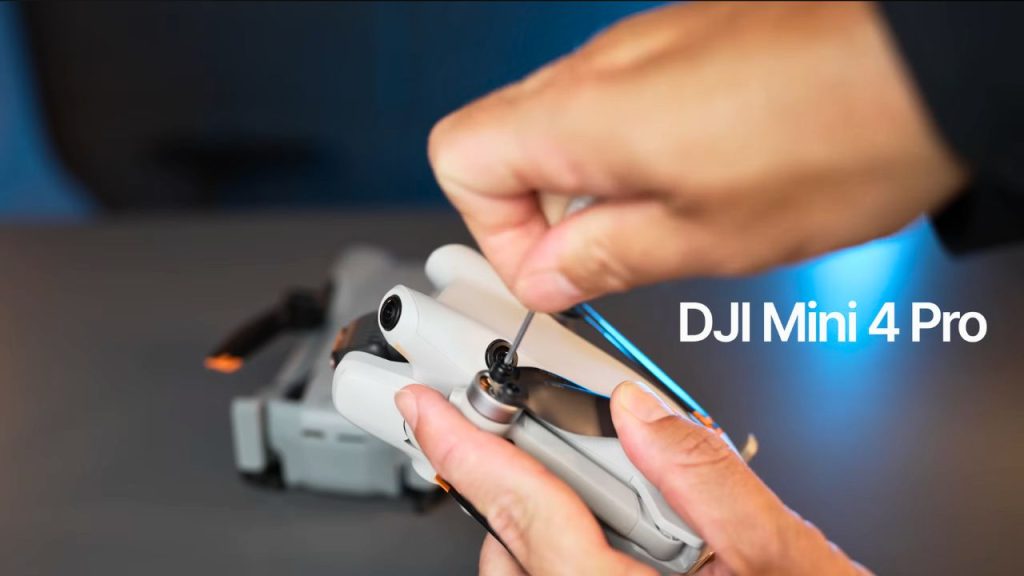
Another subtle advantage is the propellers. Before, you had to use the DJI screwdriver. I’ve mentioned many times how much I dislike that. Now, if a propeller gets nicked or you hit something small like a twig, you can change it easily.
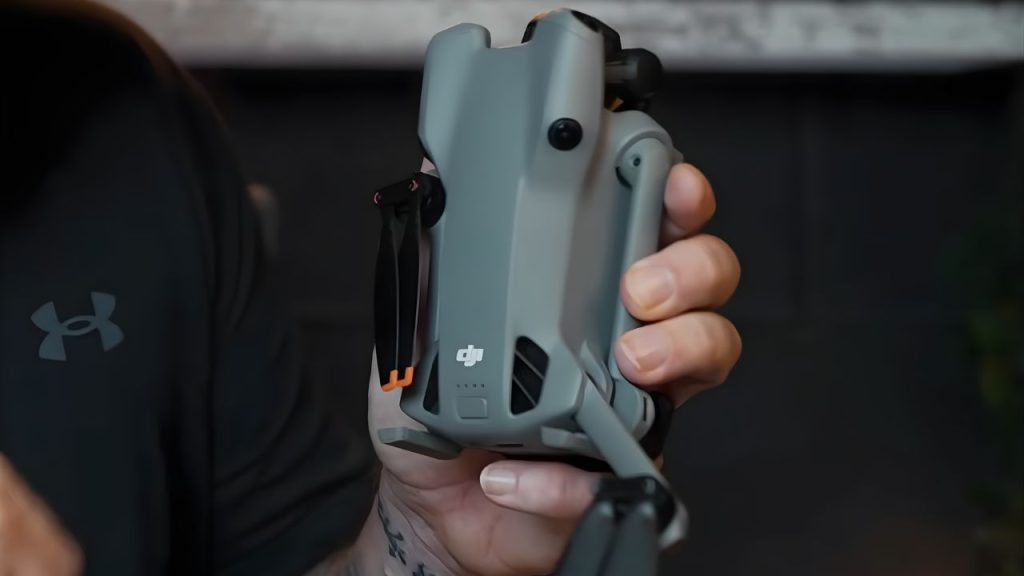
You push and turn, and the propeller comes off. Put a new one on, push and turn, and you’re done. It’s so much better than dealing with tiny screws in the middle of nowhere.
Auto start: faster setup in real situations
Another subtle advantage is auto-start. All you have to do is pull back the rear right arm. As soon as you do that, the drone powers on and starts booting up, then you open the rest of the arms.
That might not sound like a huge advantage, but it really matters in real life. We were travelling back from a location, and it was overcast, but I spotted some really cool fog and mist forming. It was moving fast. I pulled back the rear right arm, the drone booted up quickly, I powered up the RC Pro 2 (which boots fast as well), and I had the drone in the air in around 20 seconds. I got the shot before it disappeared.
If I had to power everything on manually in the usual way, it might not take much longer, but psychologically, it can be just enough friction to make you miss the moment. Auto start helped me get the shot, and for that alone, it’s a win.
ActiveTrack and obstacle avoidance: smoother tracking and better low-light sensing
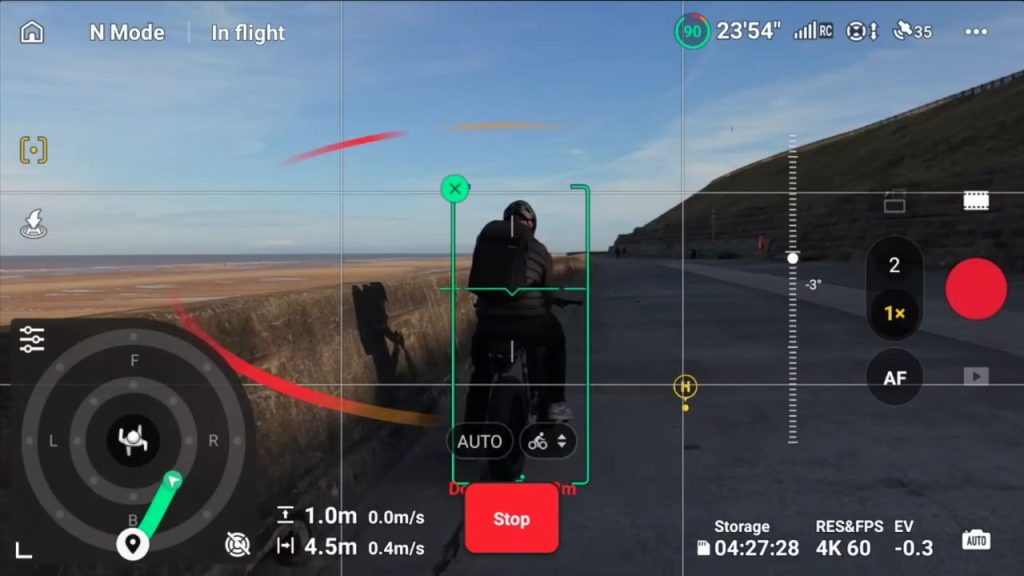
ActiveTrack has also improved. If you cycle as I do, there’s now a cycling mode. It’s more responsive. You still have that “clock face” framing option so the drone can follow you from the front, back, sides, and diagonals.
We’ve had ActiveTrack for years, so that I won’t spend too long on it. But the key improvement is the new tracking modes: cycling, standard, and skiing. I haven’t skied with it, but standard is useful for smoother tracking, like cars, boats, walking, or running.
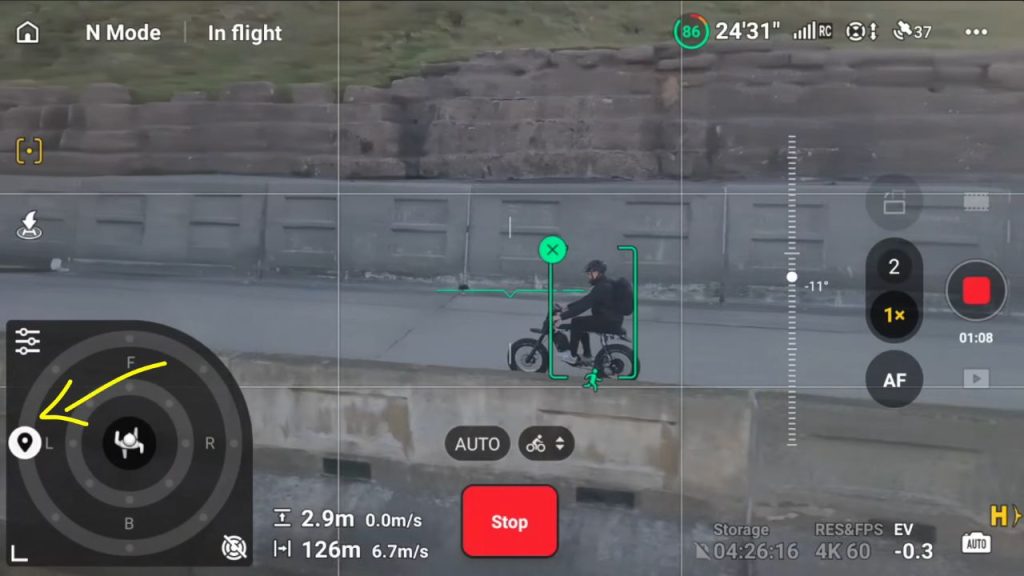
In the past, the drone could feel erratic because it was constantly adjusting to keep you perfectly centered. Now it’s smoother. Cycling mode is more responsive and can get very close—sometimes too close—so you may need to adjust settings to keep a greater distance. Overall, tracking has been excellent.
Obstacle avoidance is also strong. You’ve got omnidirectional sensors (full 360), plus improved low-light sensors. This is better than the Mini 4 Pro, where sensors could disable in low light, and you’d get warnings. Now it feels like the sensors have better “vision,” which is great for low-light flying.
You also have a LiDAR sensor. I’ll come back to that, but overall, with the sensors on, you shouldn’t really be crashing this drone.
The bad points
Weight controversy: the 249g “magic number” problem
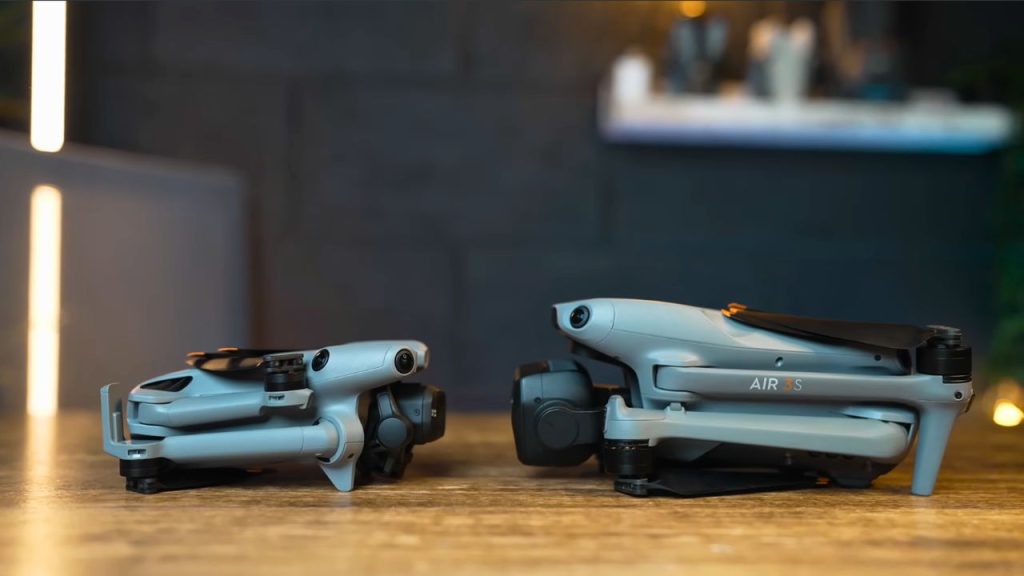
Before we get to the bad points, we need to talk about the weight. In the past, mini drones have been 249 grams — the magic number. Under 250 grams usually means fewer restrictions in most countries.
With the Mini 5 Pro, it’s confusing because it can be around 249 grams, but it can also be a few grams over. For example, one unit might be 249.9 grams, and another might be 252 grams. It feels like a potluck depending on what unit you buy.
In the UK, laws are changing in January, and it may make no difference whether you fly this or the Air 3S. In the EU, EASA has acknowledged this as a certified C0 drone and seems fine with the weight. But in countries where 250 grams is a strict limit, this could be a real issue, potentially affecting restrictions and Remote ID requirements. Overall, it’s frustrating. If it’s going to be over, even by 1–2 grams, I’d rather it be 400 grams and give us even more performance while still being compact.
ND filters: essential, but annoying to mount
ND filters are essential on this drone, just as they are on the Mini 4 Pro and Air 3S, because the f/1.8 aperture lets in a lot of light. If you shoot without NDs, your video can look overly sharp and unnatural.
I don’t like the way the ND filters attach here. Before, it was a push-and-turn system that felt secure. Now they clip onto the front grille area, similar to older Mini models. It’s fiddly, easy to drop, and it can put unnecessary stress on the gimbal. Third-party options will likely appear, but the mounting system may remain similar because the front element can’t come off.
Spotlight mode bug in Cine
Tracking is great, but Spotlight mode has a serious issue. Spotlight mode lets you draw a box around a subject (you, a car, a boat), then fly the drone while it handles camera panning. It’s one of the best ways to get smooth cinematic movement.
But there’s a bug: when you use Spotlight mode in Cine mode, it doesn’t work properly. You switch to Cine, try to fly, but the drone doesn’t respond as it should. This bug has been known for over a month, and there still hasn’t been a firmware update to fix it. Hopefully, it gets fixed soon, because it’s a big problem for a feature like this.
RC2 controller: needs a brighter screen upgrade
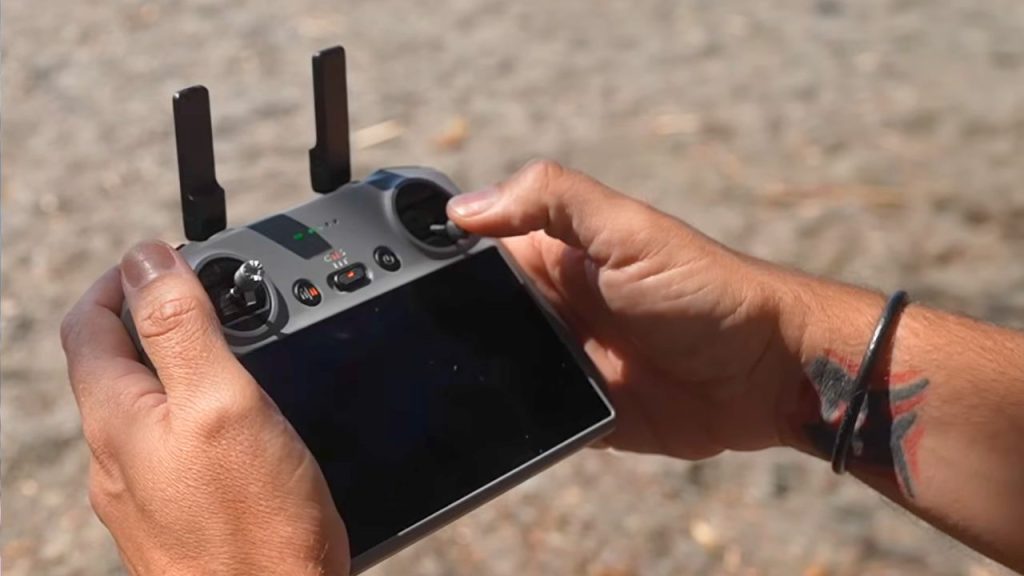
Another disappointment is the RC2 controller. It’s still good and lightweight, and the built-in screen is convenient, but the brightness isn’t bright enough, and it’s starting to feel outdated. You can also get it with the Mini 4 Pro, so it feels like it was time for an upgrade — even just a brighter screen would have been enough.
Extra features: LiDAR and speaker (weight vs usefulness)
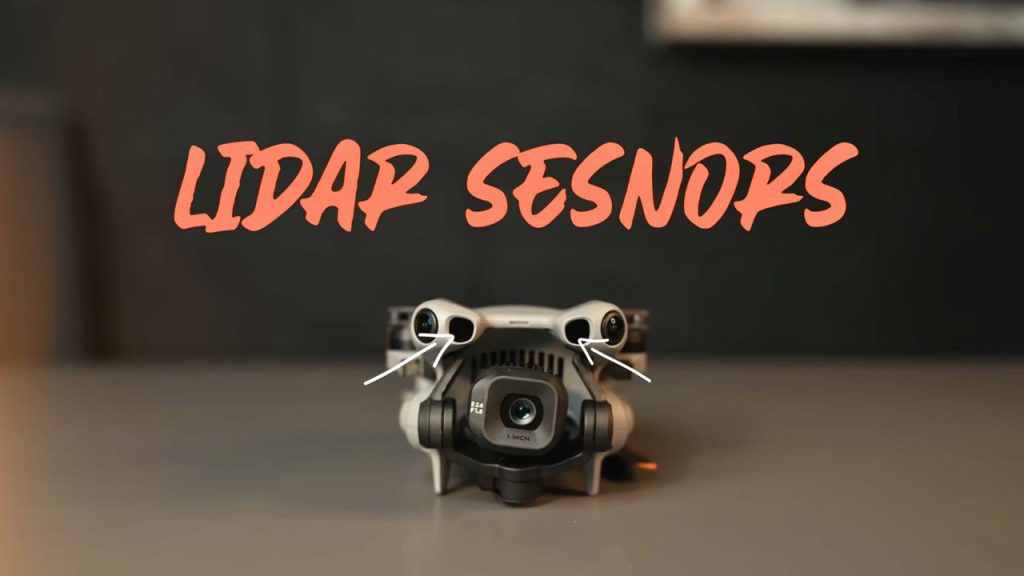
DJI also added extra features that don’t help the weight situation. One is the front-facing LiDAR sensor. If it’s too dark for normal sensors, LiDAR can help prevent front collisions in very low-light conditions. It also means even if you turn the normal sensors off, you still have front protection.
But personally, when I’ve crashed drones, it’s rarely been a straight-on front collision. It’s usually been hitting twigs, sideways movement during tracking, or flying backwards. So whether we really needed LiDAR is debatable.
The other odd one is that this drone has a built-in speaker. It announces things like powering off, and if you don’t have an SD card, it announces switching to internal storage. That’s extra weight. Did we need that?
I’m hoping the speaker exists for a bigger reason because there’s also a button on the side of the drone. Right now, it just activates quick transfer to the controller, which isn’t that important. But hopefully, in the future, it could trigger something useful like quick shots or controller-free tracking, similar to Neo drones. That would justify it. Right now, it feels strange to add weight to announce that the drone is powering off.
Pros and cons
Pros
- 1-inch f/1.8 camera upgrade with noticeably better photo and video quality than Mini 4 Pro
- Very strong video quality — close to DJI Air 3S in main-sensor video comparisons
- 10-bit recording across profiles (Normal, D-Log M, HLG) for better colour and grading
- Excellent dynamic range in D-Log M, especially once you apply a LUT
- RAW + JPEG photo options, with strong highlights, shadows, and detail straight out of the camera
- True 4K vertical video (no crop) + easy switch to vertical photos (great for Reels/IG)
- 2x “telezoom” (48mm) option for framing closer when lighting is good
- Improved wind resistance vs Mini 4 Pro (12 m/s vs 10.7 m/s)
- Faster top speed (about 5 mph faster) — useful for getting to locations and in the wind
- Convenience factor is huge (small bag, easy to carry, easy to fly more often)
- Quieter than bigger drones (and quieter than Mini 4 Pro) — draws less attention.
- Rotating gimbal for creative video shots, nice option even if you don’t use it constantly
- Real-world battery life improved (about 25–30 minutes typical) vs Mini 4 Pro (15–20)
- The Fly More charging setup has improved —it can charge two batteries simultaneously with a fast charger.
- The new propeller system is easier (push-and-turn) vs tiny screws and a screwdriver.
- Auto-start feature speeds up deployment, helps you capture a fast-changing fog/mist shot.
- ActiveTrack improvements, especially cycling mode (more responsive) and smoother standard tracking
- Strong obstacle avoidance confidence (360 sensors + better low-light sensing than Mini 4 Pro)
Cons
- Plasticky build quality compared to Mavic/Air series; feels less premium.
- Weight controversy (249g vs 252g units) creates “potluck” compliance issues in strict regions.
- Plus battery availability issue (you can’t get it; you believe it’s banned in the UK/EU)
- 2x telezoom shows corner noise unless the lighting is very good (worse in overcast conditions)
- ND filters are essential but annoying — the clip-on system is fiddly, easy to drop, and adds stress to the gimbal.
- Spotlight mode bug in Cine mode (doesn’t work properly) and hasn’t been fixed for over a month
- RC2 controller screen isn’t bright enough and feels outdated; no newer controller upgrade included
- Extra features add weight without clear value:
- Front LiDAR usefulness is debatable (most crashes aren’t straight-on front hits)
- Built-in speaker feels unnecessary right now (announces power off / storage switching)
- Rotating the gimbal for photos feels unnecessary and can make the horizon look crooked.
- Mini form factor still won’t match bigger drones in wind strength (even though it improved)
Conclusion
So the Mini 5 Pro isn’t perfect, but none of these drones are. They all have advantages and disadvantages. The convenience factor is still the main reason I’m likely to pick this over bigger drones more often. You’ll fly this drone more.
If you’ve never flown a drone before, mini drones are a great way to practise and improve your flying skills. And now, with the 1-inch sensor, you’re not sacrificing quality. Video and photo quality are the main reasons to buy this drone. Everything else DJI has added feels like extra.
Overall, I’ve been really impressed with the Mini 5 Pro. It has some disadvantages, but those could be fixed with firmware updates.