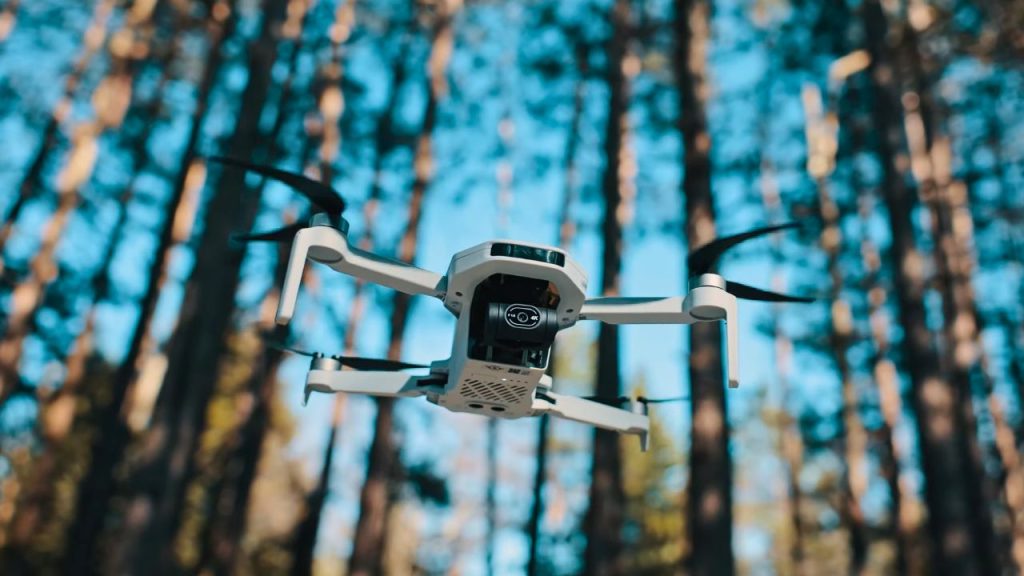
I’ve been using the Potensic Atom 2 for a while, and I wanted to find out whether it’s capable of pro-looking video—and whether it can realistically compete with the DJI Mini series as the market evolves.
I tested it in real-world conditions (including mountain terrain) and worked through its key features.
Camera – Here’s how the camera performs.

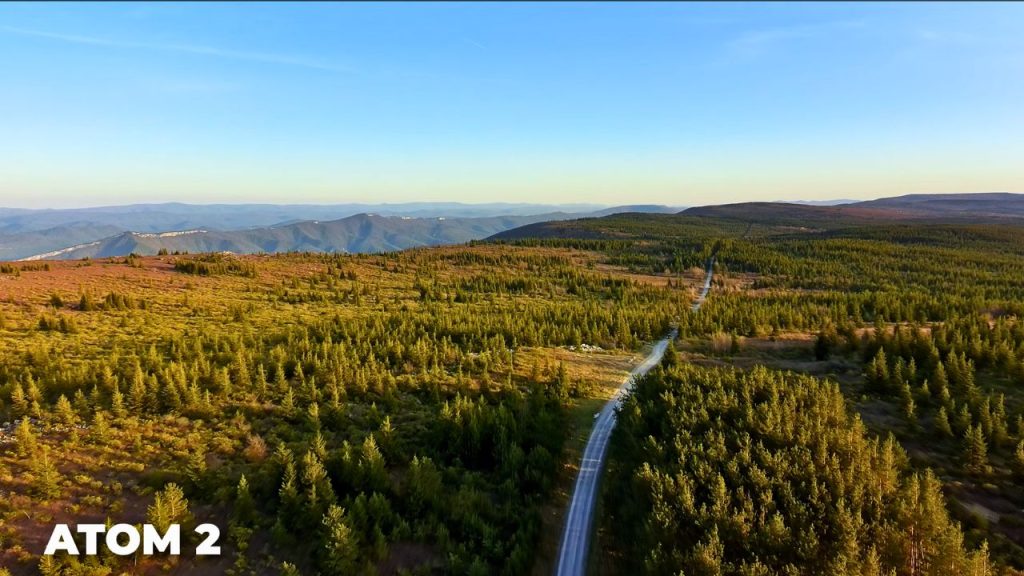
This drone can shoot some pretty good video, particularly if you know what you’re doing. The Atom 2 is advertised as supporting 4K HDR video, but those marketing terms often don’t mean much. I was pleasantly surprised to get relatively cinematic footage. The 4K is actually 4K, and it’s pretty decent-quality 4K.
Now, it’s not nearly up to the quality and detail you’ll see on high-end DJI drones that cost five times as much. But then again, this is a $329 drone.
It does have the over-sharpened look that many cheaper drones and cameras have, and unfortunately, there’s no way to turn it off. This is something Potensic could easily fix with a firmware update, but currently, you’re stuck with the over-aggressive sharpening.
The Atom 2 is supposed to support HDR video, and it does have an HDR mode, but I’m not exactly sure what it does besides reducing contrast somewhat. It’s not 10-bit, and it’s definitely not a proper HDR format like Hybrid Log-Gamma or HDR PQ. Still, it improves the dynamic range somewhat, so I shot all my footage with HDR enabled.
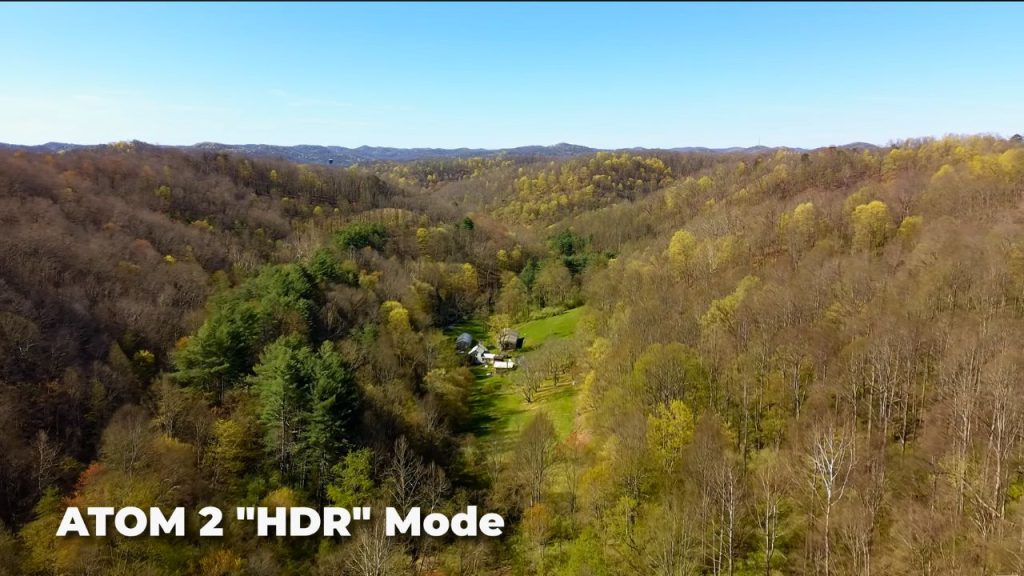
Even with HDR mode on, it doesn’t have world-class dynamic range. It’s not the worst out there, but it’s not very impressive either.
Potensic mentions on its website that the Atom 2 features P-Log for better quality and color grading flexibility, but it’s currently not available on the drone. Potensic says it will be added in a future firmware update, but right now it’s entirely missing. If a log profile were available, it would greatly improve the quality of footage you can shoot with this drone. Hopefully Potensic adds this soon, because it would meaningfully improve footage quality.

Also, in general, I don’t love the color science on this drone. To me, the colors straight out of the drone don’t look great. This is definitely an area that needs work to reach pro camera quality.
The Atom 2 can also shoot slow-motion video up to 120 frames per second. As with most drones, 1080p slow-motion isn’t of great quality.
On the photo side, the Atom 2 is advertised to shoot 8K photos, but it’s basically a 12-megapixel image sensor, not 48 megapixels. It uses quad Bayer technology, which essentially splits each pixel into four, so you’re not really getting true 48-megapixel, 8K-quality detail. It’s closer to 12-megapixel quality, but with a larger file size. It might be slightly better, but it’s not true 48-megapixel quality like you’d get from an actual high-resolution sensor.
This is common even for DJI drones. They claim really high megapixel numbers, but it’s often more marketing than a real increase in detail.
On the plus side, the Atom 2 can shoot RAW photos, which gives you much better editing flexibility. It’s nice to see that option on a drone at this price.
All in all, the camera is good for a $330 drone. It definitely won’t be replacing my DJI drones that cost five times as much, but it holds its own for the price, and it could get even better if Potensic updates it to include the features they advertise.
One thing to realize is that your footage won’t look nearly this good if you fly straight out of the box without understanding camera settings and cinematic technique. To help with that, I put together a completely free 45-minute drone filmmaking training where I share my top 10 secrets to getting cinematic drone shots with any drone — covering camera settings, smooth cinematic moves, composition, working with natural light, editing, and color grading. You can find the link below.
Tracking – Tracking performance
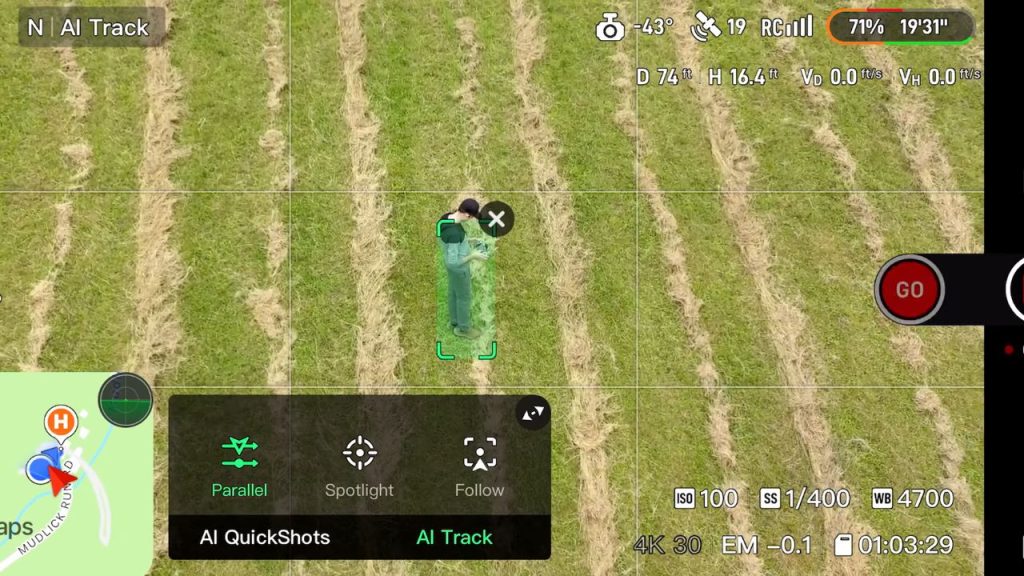
The Atom 2 has AI tracking that works like ActiveTrack and is surprisingly good. A lot of drones at this price point, including some from DJI, don’t even have tracking, so it’s great to see it here.
I was surprised how well it could track and follow me. It has Follow mode (from behind), Parallel mode (from the right or left), and Spotlight mode, which keeps the camera pointed at you as you move or fly the drone, keeping it trained on the subject.
While it works pretty well, it’s not perfect.
- It tends to lose tracking if the subject gets too small in the frame. This happens with other drones too, but it felt like it happens sooner with the Atom 2 than I’m used to.
- In Follow mode, it won’t track unless the gimbal is tilted between 25 and 75 degrees down, which means you can’t follow a subject from a closer, eye-level perspective. The drone has to be higher up, which limits you in many situations.
- In Parallel mode, the drone will not track you if you’re at a different elevation than where the drone took off. If you take off and then walk uphill, it can throw an error unless you go to a lower altitude or land and take off again. This isn’t a huge elevation change, maybe 20 or 30 feet, but it still won’t work.
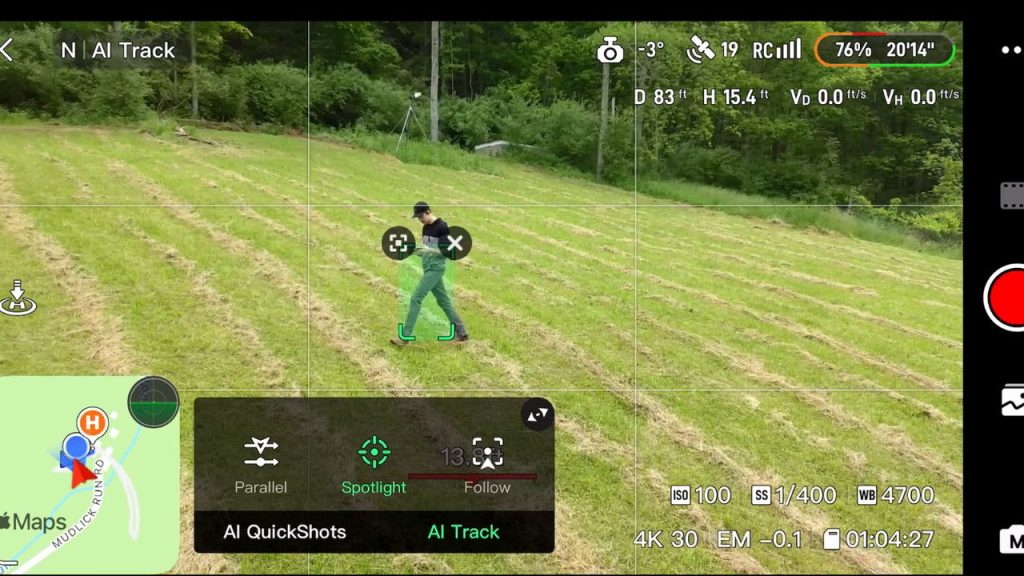
These are weird limitations that I think could be fixed with a firmware update, but they’re currently issues.
The Atom 2 also has AI QuickShots that let you automatically capture shots like an orbit, a rocket, or a dolly zoom. These modes work quite well.
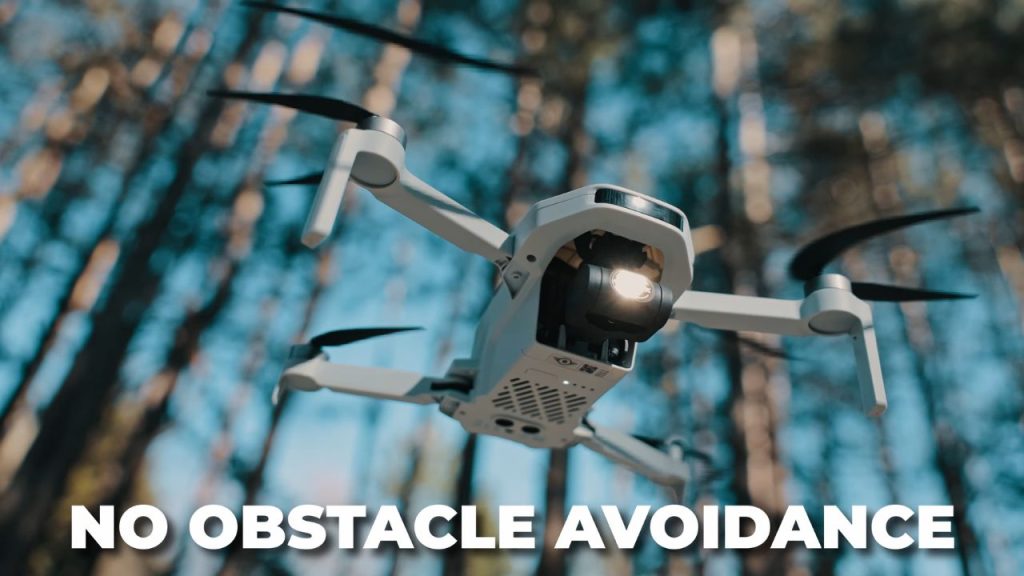
One thing to keep in mind: the Atom 2 has no obstacle avoidance. If you’re orbiting or following and there’s an obstacle in your path, you will crash into it. Not having obstacle avoidance isn’t the end of the world. Older drones like the Phantom 3 also shipped without obstacle avoidance. You have to pay more attention while flying, but beginners need to understand.
I was surprised at how good the image transmission system and range are on the Atom 2. The range and quality aren’t quite up there with the best systems like DJI O4, and it has a bit more lag than I’d like, plus occasional short freezes (just a fraction of a second). But overall, it gets the job done.
Sub-250g Benefits, Speed, and Wind
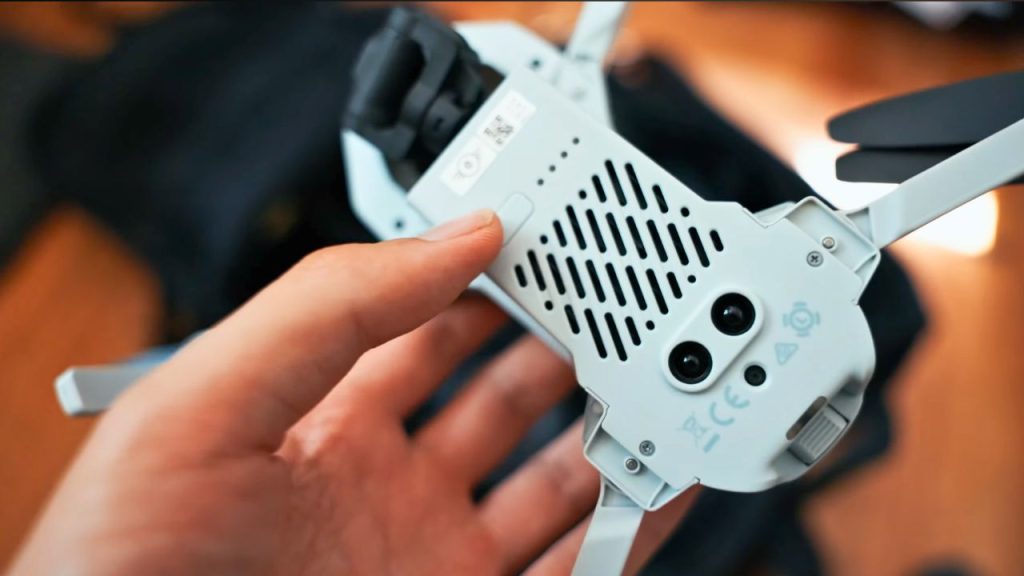
The Potensic Atom 2 is a sub-250-gram drone, which means you don’t have to register it to fly recreationally in the US, and in many countries, it’s subject to fewer regulations. Being small and light also makes it easy to pack and travel with. You can throw it in a bag or backpack for hiking or trips.
Top speed is 35 mph. It’s not the fastest or most powerful drone out there, given that it’s under 249 grams, but it doesn’t feel particularly slow either.
One area where it really struggles is wind resistance. Sub-250g drones aren’t known for outstanding wind performance, but I feel like the Atom 2 especially struggles in wind. I filmed in the mountains, where the winds were fairly strong, and at times the drone struggled to hold its position, barely made headway against the wind, and a couple of times it was difficult to bring it back. Even larger drones can struggle in that location, but don’t expect strong wind resistance from the Atom 2.
Dynamic Home Point
One feature I wish were on more drones is a dynamic home point, and the Atom 2 has it.
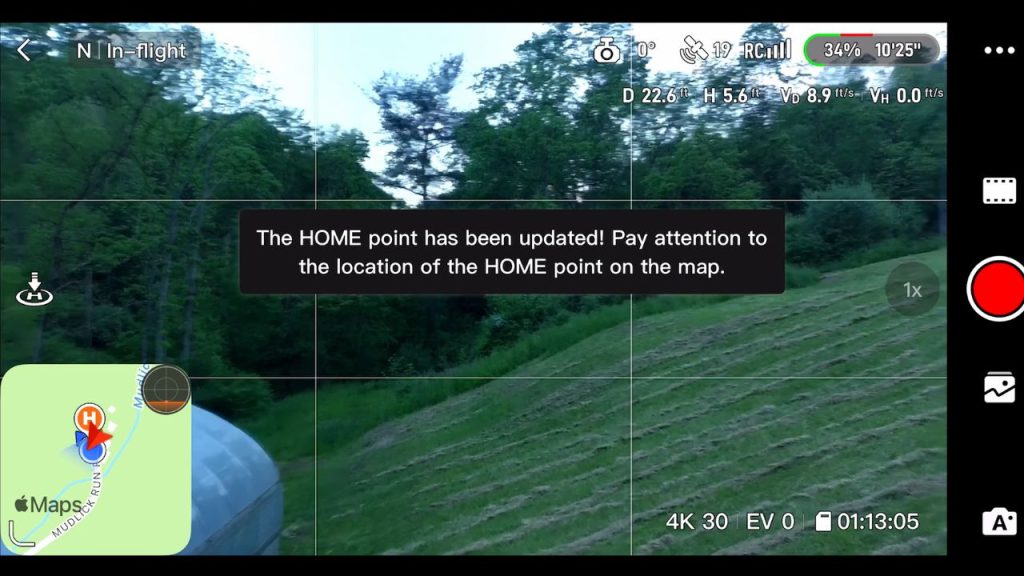
When you turn it on, the Atom 2 uses your phone’s location (in the remote controller) as the home point and updates it in real time as you move. This is great if you’re filming from a moving vehicle, like the back of a truck or a boat, or even while walking or flying.
With a dynamic home point, you don’t have to keep updating the home point manually. It automatically keeps the return-to-home location where you are. This has always been missing on DJI drones, so it’s really nice to see it here.
Controller Design and Controls
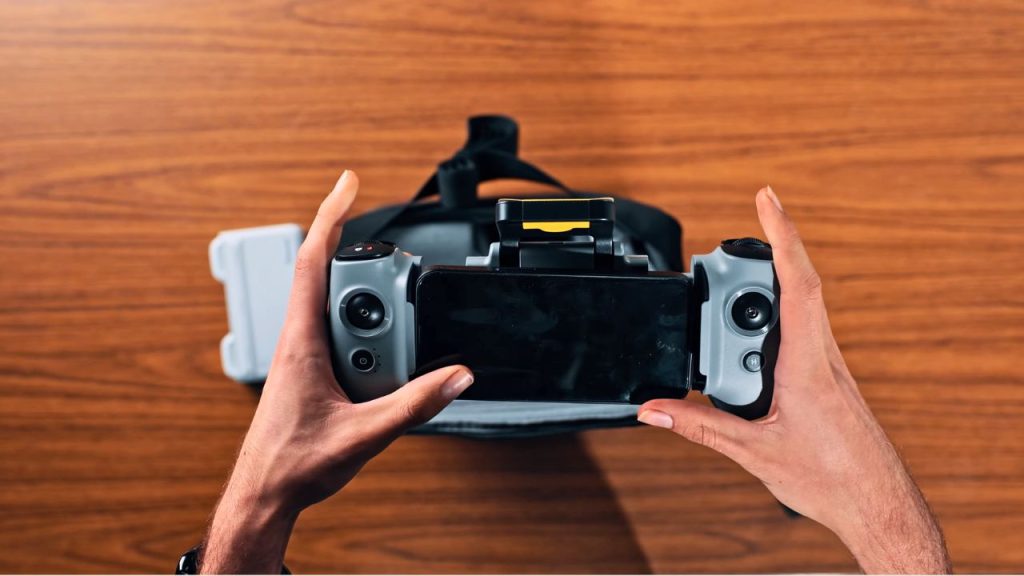
Another interesting design feature is the controller.
Instead of mounting your phone above or below the remote, you pull the two sides of the remote apart and mount your phone in the middle, between the two joysticks. It makes the controller wider with a phone mounted, but I like it, and it feels fairly ergonomic.
The remote also has a good selection of buttons and dials:
- Power button
- Return-to-home button
- Record button and photo button
- Two customizable buttons
- Gimbal tilt dial
- A second customizable dial (for exposure, zoom, and more)
That’s a lot of flexibility at this price point.
Battery Charging Hub
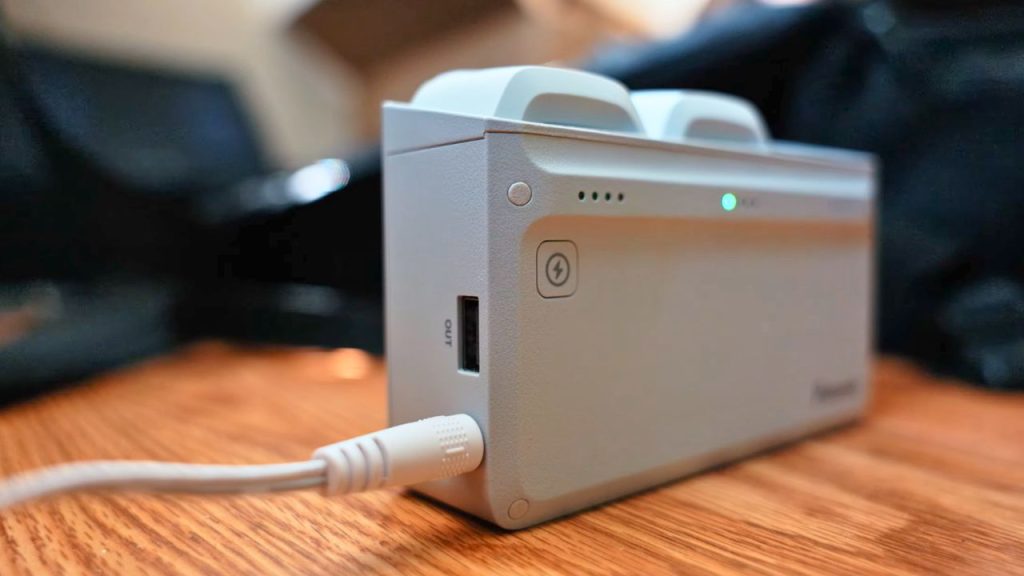
Another thing I like is that the charging hub can charge multiple batteries at once. Instead of charging one battery after another, it distributes power into multiple batteries at once, which should charge them faster.
Issues and Downsides
Here are the issues I’ve come across while using this drone.
Reliability issues
When I was flying with an Android phone in the controller, at one point, it stopped connecting to the remote, no matter what I tried. That prevented me from shooting as much footage as I wanted in the mountains because I couldn’t fly it.
I’m not sure exactly why, but it may relate to the next issue.
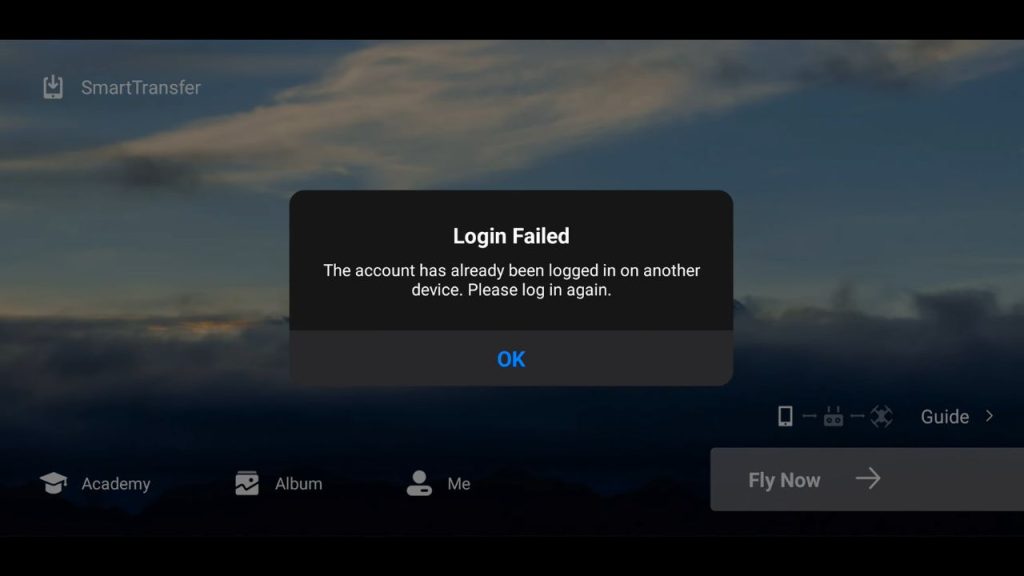
There are also issues with logging in to the Potensic app across multiple devices. When I logged in on both my Android phone and my iPhone, it kept kicking me out of the account on one device, and sometimes it wouldn’t let me log back in, showing an error.
This needs to be fixed. I see no reason you shouldn’t be able to use more than one phone or tablet with the remote, or be logged in on multiple devices. With DJI, I’m logged in on multiple devices because sometimes I want to fly with my phone and other times with a tablet. Being restricted to one device is unreasonable.
Cable limitation (older iPhone)
I also couldn’t connect my iPhone with a regular Lightning cable. I could only use the supplied USB-C-to-Lightning cable, which is a headache if you want a longer one or if you lose the original.
User experience and usability issues
A lot of these could be fixed with firmware, but they’re major annoyances right now.
- The Atom 2 does not store your camera settings when you turn the drone off. After powering it off and back on, everything resets to Auto: exposure, white balance, and more. This is extremely frustrating because I use manual settings and don’t want to redo everything every flight, especially when swapping batteries and continuing the same shoot.
- If the drone sits for a short time after you turn it on (before takeoff), it enters a low-power mode and won’t let you adjust camera settings until after takeoff. This is frustrating because I want to set camera settings before takeoff to avoid wasting battery time while it’s in the air.
- There are also the weird tracking limitations: the gimbal tilt range requirement in Follow mode, and the elevation restriction in Parallel mode.
Sport mode disabled at 30% battery.
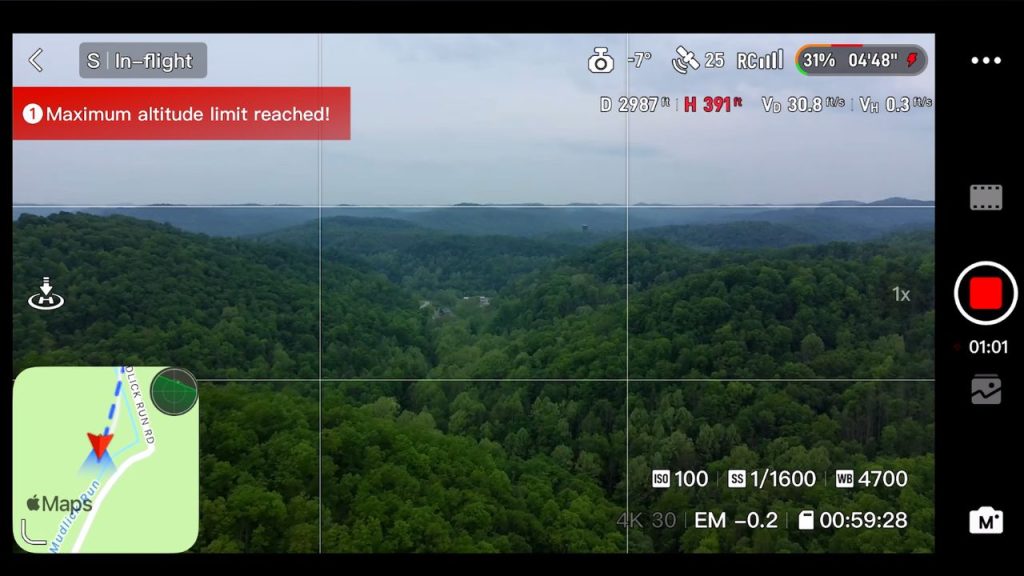
When the battery hits 30%, you lose Sport mode, so you can’t fly anywhere close to max speed. I don’t know if it’s to protect the battery, but it’s frustrating because when the battery is low, I often want to fly back faster. I’ve seen drones reduce throttle output, but I’ve never seen one reduce maximum flight speed like this.
Hovering stability
It doesn’t have the best hovering stability. In tight environments, like flying between trees, it bounces around more and hovers less precisely than other drones. This makes it harder to fly in tight spaces. It could be that the vision positioning system isn’t very well tuned and isn’t as good at monitoring and correcting position near the ground.
Small annoyance: the charging hub needs an AC adapter
This isn’t a big issue, but the battery hub needs its own separate AC adapter. Most of my DJI drones and even other brands charge via USB-C, so I can bring one USB-C charger for everything. With the Atom 2, I have to bring a separate charging brick.
Pros and cons
Pros
- Real 4K video for the price (pretty decent-looking 4K from a $329 drone)
- HDR mode helps a bit (some dynamic range improvement, even if it’s not true HDR)
- RAW photo support (better editing flexibility, great to have at this price)
- AI tracking included (rare at this price point, and it works surprisingly well overall)
- Multiple tracking modes (Follow, Parallel, Spotlight)
- QuickShots work well (orbit, rocket, dolly zoom, etc.)
- Good transmission/range for the class (usable range and image feed, even if not top-tier)
- Sub-250g weight (easy to travel with, fewer rules in many places)
- 35 mph top speed (doesn’t feel slow for a sub-250g drone)
- Dynamic home point is excellent (updates home point in real time; very useful feature)
- Controller design is ergonomic and functional (phone mounts in the middle; good feel)
- Plenty of physical controls (custom buttons + dials for exposure/zoom, gimbal tilt dial)
- A charging hub charges multiple batteries at once (more convenient than one-by-one)
Cons
- Over-sharpened video look with no option to reduce sharpening
- HDR is not true HDR (not 10-bit, not HLG/HDR PQ; limited dynamic range)
- P-Log is advertised but missing (promised via future firmware update)
- Color science isn’t great (colors out of the camera don’t look very pleasing)
- 1080p slow-motion quality isn’t impressive
- “8K photos” are largely marketing (12MP sensor using quad Bayer; not true 48MP detail)
- No obstacle avoidance (higher crash risk in tracking/QuickShots)
- Wind resistance is weak (struggles in strong wind, especially in mountains)
- Occasional lag and brief freezes in the video feed
- Android connection/reliability issue reported (stopped connecting to remote)
- Account/login problems across devices (gets kicked out; errors logging in)
- Cable limitation for older iPhone (works only with supplied USB-C to Lightning cable)
- Doesn’t save camera settings after power-off (resets to Auto every time)
- Can’t adjust camera settings in low-power mode until after takeoff
- Weird tracking limitations
- Follow mode requires a gimbal tilt between 25 and 75° down.
- Parallel mode fails if the subject elevation changes from the takeoff height.
- Sport mode disabled at 30% battery (can’t fly back fast when battery is low)
- Hovering stability isn’t the best in tight spaces (more “bouncy” hovering)
- Charging hub needs a separate AC adapter (not USB-C like many other drones)
- Not polished enough to replace DJI Mini yet (bugs/quirks hurt overall recommendation)
Final Thoughts: Can It Replace the DJI Mini Series?
Is the Potensic Atom 2 ready to replace the DJI Mini series? In my opinion, not quite yet.
A lot of things feel unfinished and less polished, and there are enough bugs and quirks that it’s hard to recommend as a true DJI alternative right now.
That said, Potensic has a big opportunity here. If they improve camera quality a bit, actually add log, and fix the bugs and user experience issues in future updates, they could take a chunk of market share from DJI Mini drones, especially if DJI ends up getting banned in the US.
As things stand, would I buy a Potensic Atom 2?
If you want to fly for fun and don’t care much about camera quality, it could be a cheap first drone. But even then, there are enough annoying issues that I can’t really recommend it, especially with other options out there. I really wanted to like this drone, but it’s not quite there yet.
For pro video, it’s also a bit lacking in the camera department, though that’s more forgivable at $330.
But it’s not just the gear — piloting and filmmaking techniques matter a lot. If you want a full walkthrough of creating professional-looking drone videos, I also have a 12-hour drone filmmaking course that covers my process end-to-end: settings, composition, location scouting, planning, editing, and color grading.